
Grade Calculator
A Grade Calculator helps you quickly find your current grade based on the marks you have earned. Enter your assignment, test, or exam scores to see your percentage and understand how well you are doing in the course. If your class uses weighted grades or a points-based grading system, you can use the appropriate calculation method to get a more accurate view of your overall grade.
Keeping track of your grades can get confusing when a course includes several assignments, tests, and exams. A Grade Calculator brings all your scores together and shows the grade you have earned so far. You can use it with simple percentage grading, weighted assignments, or total points, depending on how your course is graded. This gives you a clear idea of your current performance without having to work through the calculations yourself.
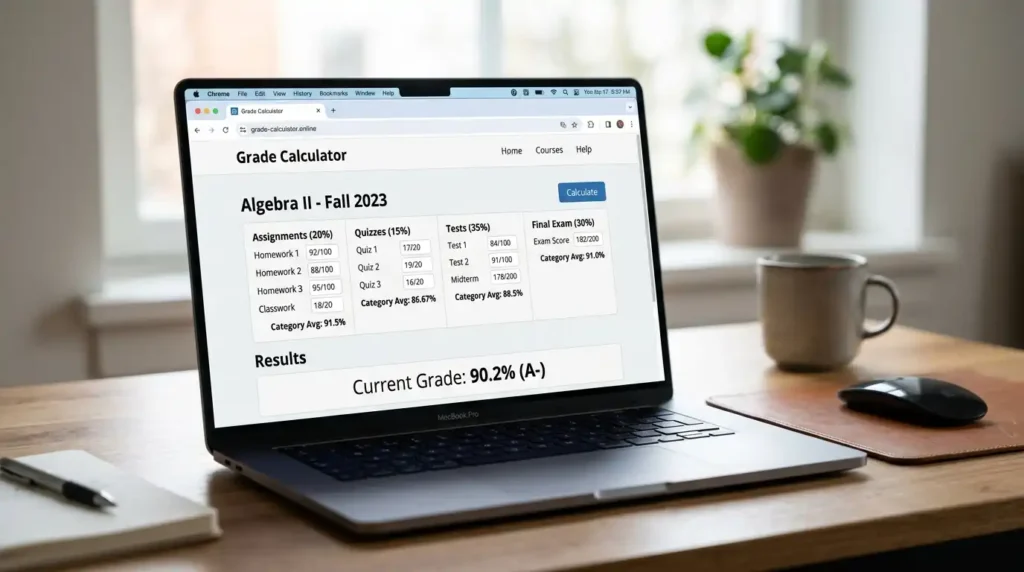
Use the Grade Calculator for Your Current Class
- Use the Grade Calculator to keep track of your performance throughout the course. It can help you
- Calculate your current grade from the marks you have received.
- Add scores from assignments, tests, quizzes, and exams.
- Account for different assignments or category weights.
- Compare your current performance with the grade you want to achieve.
- Check your grade without calculating each result manually.
Enter your grades as they appear in your class to get a more accurate view of your progress. This is especially useful when your course has several types of assessments with different values.
Select Percentage, Letter, or Point Inputs
- Choose percentage when your scores are given as percentages, such as 80% or 95%.
- Use letter grades when your results are shown as A, B, C, or similar grades.
- Select points when your course is based on points earned out of points possible.
- Use the input type that matches your teacher’s or school’s grading system.
Add Assignments and Categories Correctly
- Enter each assignment with its actual score.
- Add the correct weight when an assignment has a specific percentage of the overall grade.
- Keep assignments in the right category when your course separates homework, tests, projects, or exams.
- Double-check scores and weights before calculating your grade.
- Make sure the total weighting matches the grading structure of your course.

Understand Your Current Grade Result
| Result | What It Tells You |
| Current percentage | The percentage you have earned from the work counted so far |
| Letter grade | The letter that matches your current percentage on your grading scale |
| Counted work | Assignments, tests, exams, or other scores included in the calculation |
| Remaining coursework | Work that has not yet been graded and may still affect your final result |
Your current grade gives you a snapshot of how you are performing based on the work that has been counted so far. It does not necessarily represent your final course grade, especially when you still have assignments, tests, or exams left to complete.
Overall Percentage and Letter Outcome
The overall percentage shows the marks you have earned compared with the grading system used in your course. If your class also uses letter grades, that percentage can be matched with the appropriate letter on your grading scale. For example, the same percentage may not receive the same letter grade in every school or course, so you should use the grading scale provided by your teacher or institution.
Counted Work and Remaining Coursework
Your current result is based only on the work included in the calculation. If some assignments, tests, or exams have not been graded yet, they are not part of your current result unless you enter them separately as planned or expected work. Knowing what has already been counted helps you understand how much of your grade is settled and how much can still change.

Choose the Correct Calculation Mode
| Calculation Mode | Best For |
| Category-Based | Courses where assignments, tests, exams, or other categories have different weights |
| Total-Points | Courses where your grade is based on points earned compared with total points available |
Choosing the right calculation mode matters because different courses use different grading systems. Use category-based tracking when each part of your course contributes a specific percentage to your grade. Choose total-points tracking when your teacher simply adds up the points you earn and compares them with the total points available.

Category-Based Course Tracking
Use category-based tracking when your course gives different weights to different types of work. For example, homework might count for one percentage of your grade while tests and exams count for different percentages. Enter each category with its assigned weight so the calculator can determine how much each part contributes to your current grade.
Total-Points Course Tracking
Use total-points tracking when your course is based on the number of points you earn. Add the points you have received and the total points possible for your assignments, quizzes, tests, or exams. The calculator then compares your earned points with the available points to determine your grade.
Fix Common Grade Entry Errors
Enter the actual score you received instead of the maximum possible score.
Check that each assignment has the correct weight before calculating your grade.
Do not mix percentage, letter, and point inputs unless the calculator supports those formats together.
Make sure you do not enter the same assignment more than once.
Check whether an assignment is already included in a category total before adding it separately.
Review all scores and weights if the result looks different from your expected grade.
Find the Best Specialized Tool

FAQ
Final Thoughts
A Grade Calculator gives you a simple way to understand your performance before the final results are released. By entering your scores and using the correct grading method, you can see your current grade and keep track of your progress. Checking your grade regularly can also help you identify where you need to improve and make better decisions about your remaining coursework.